A Quick Setup for Obsidian + Quartz with Github Pages hosting
- Obsidian - A Note-taking application based on markdown .md
- Quartz - Quartz is a fast, batteries-included static-site generator that transforms Markdown content into fully functional websites
Pre requirements :
- Setup git & github cli
- Linux git setup with gh client : https://www.kdnuggets.com/2023/03/getting-started-github-cli.html
- Windows gh setup : https://dev.to/yadunandanbhat/how-to-install-and-setup-github-cli-586n
- Macos : https://github.com/git-guides/install-git#install-git-on-mac
- Download obsidian : https://obsidian.md/download
- Install nodejs stable version .. use Nodejs v20 LTS
- for Windows : https://nodejs.org/en
- for Linux : https://www.digitalocean.com/community/tutorials/how-to-install-node-js-on-ubuntu-22-04
- Install npm : for ubuntu
sudo apt install npm
- Install npm : for ubuntu
- Troubleshoot for windows : https://www.geeksforgeeks.org/how-to-resolve-node-is-not-recognized-as-an-internal-or-external-command-error-after-installing-node-js/
- for Macos : https://phoenixnap.com/kb/install-npm-mac
RSS
Reddit : https://www.reddit.com/r/ObsidianMD/
Configuration
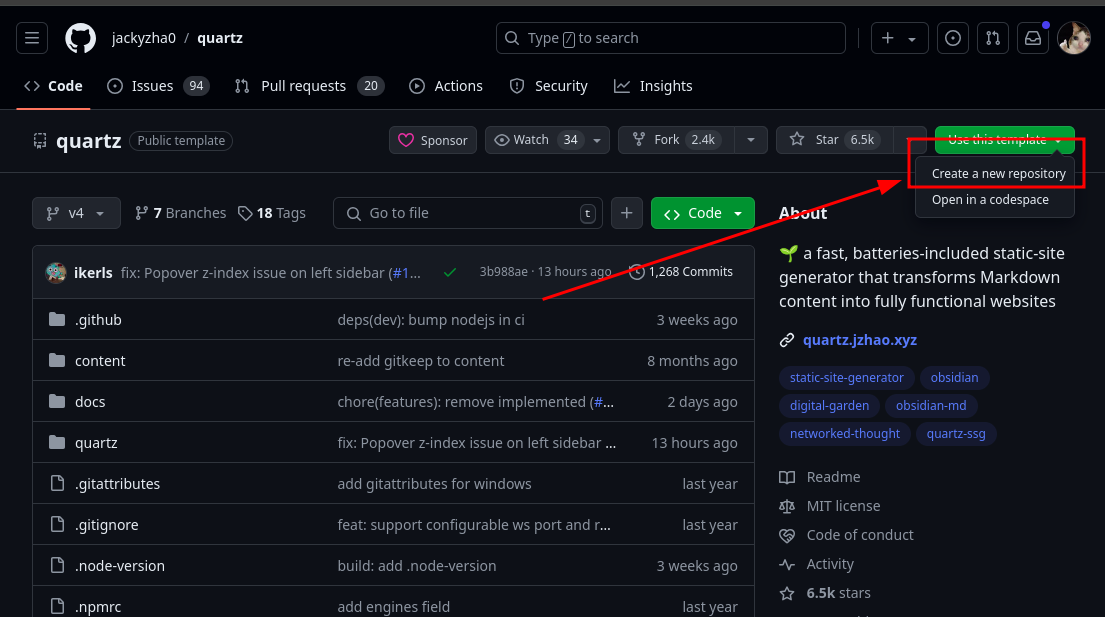
Navigate to https://github.com/jackyzha0/quartz
Create New Repository
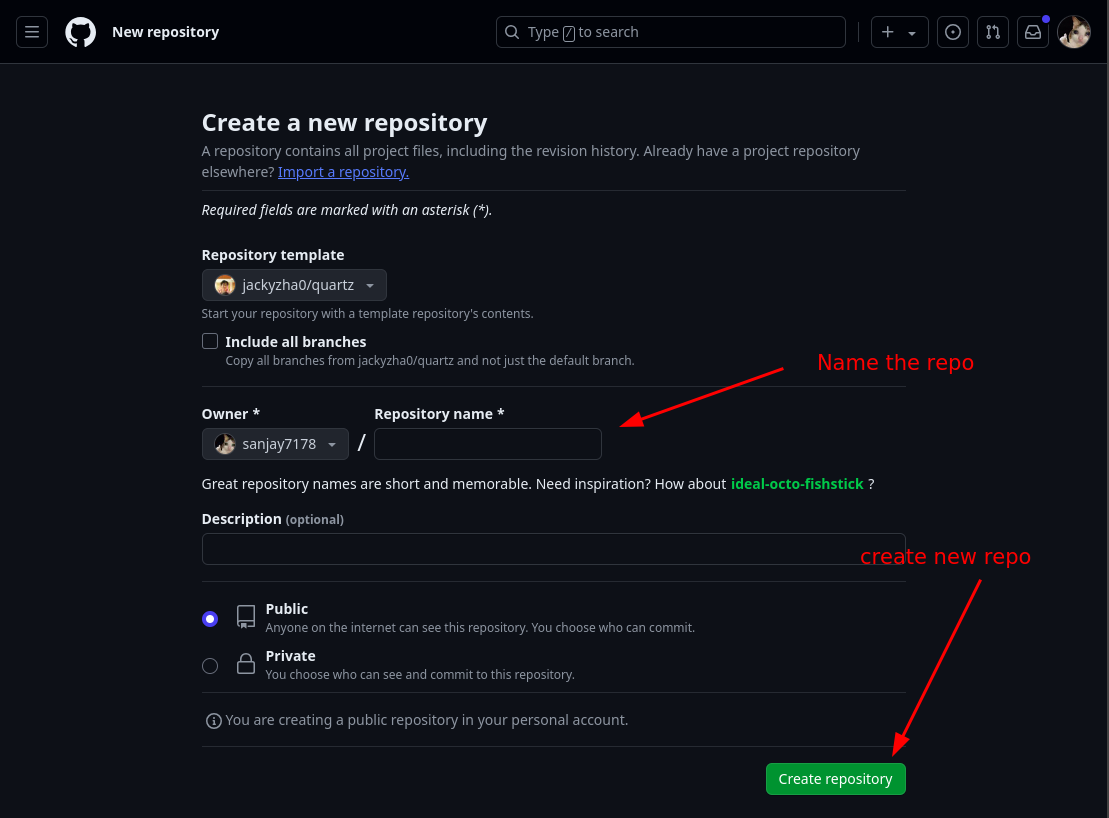 Clone the repository on your machine (for sample i used my own repository to clone) :
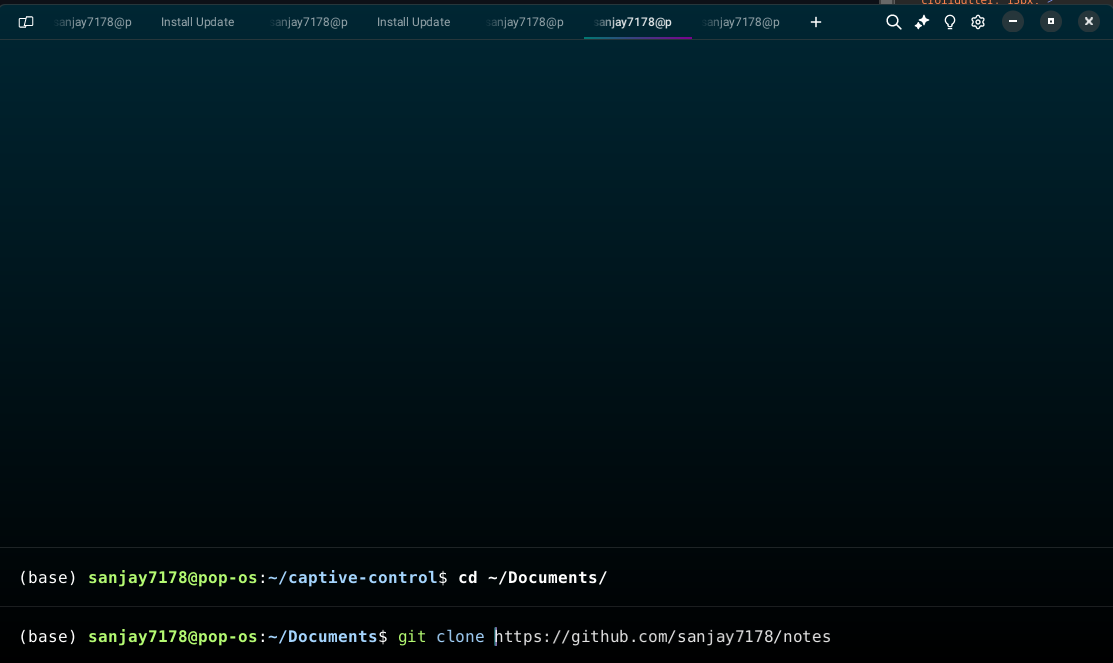
git clone <your repository url>
cd <your repository name>
Here in my case changes directory to notes
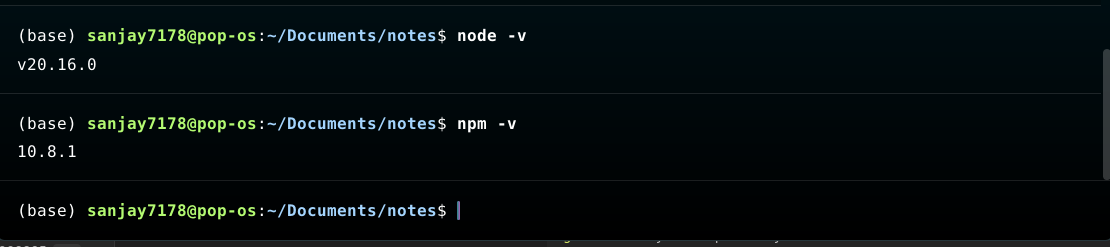
Check whether node and npm are configured properly other wise setup with Pre requirements
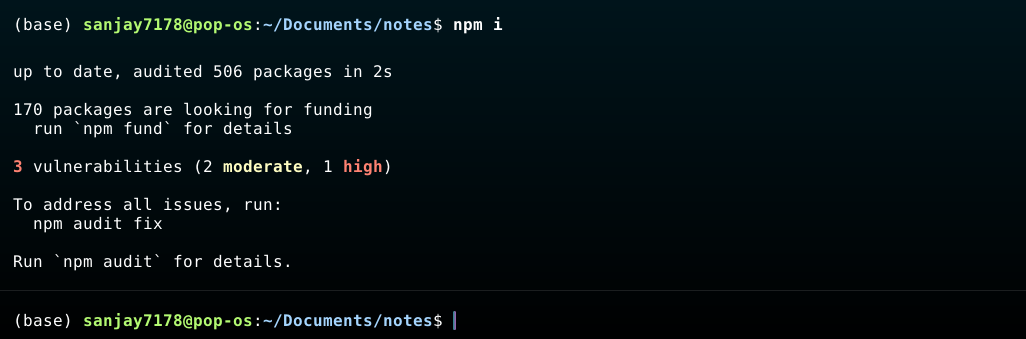
npm inpm install the packages
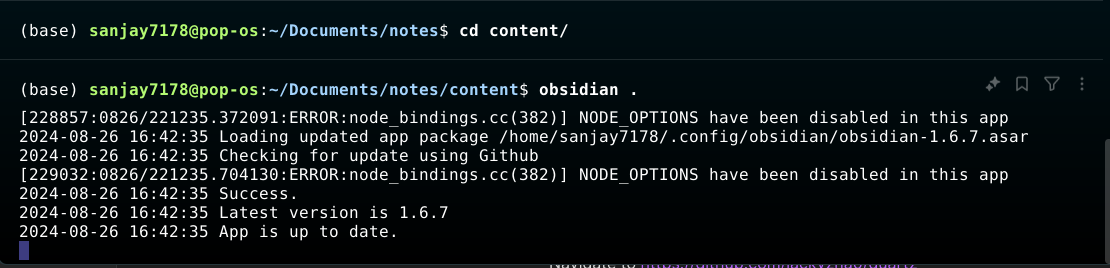
Open the obsidian with with obsidian . command other wise in the app menu open obisdian app
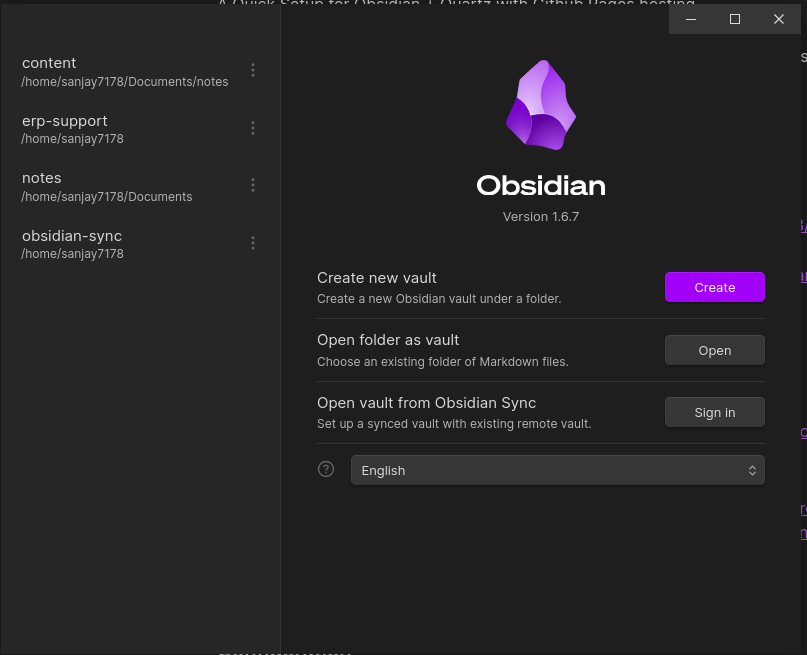 Click on open
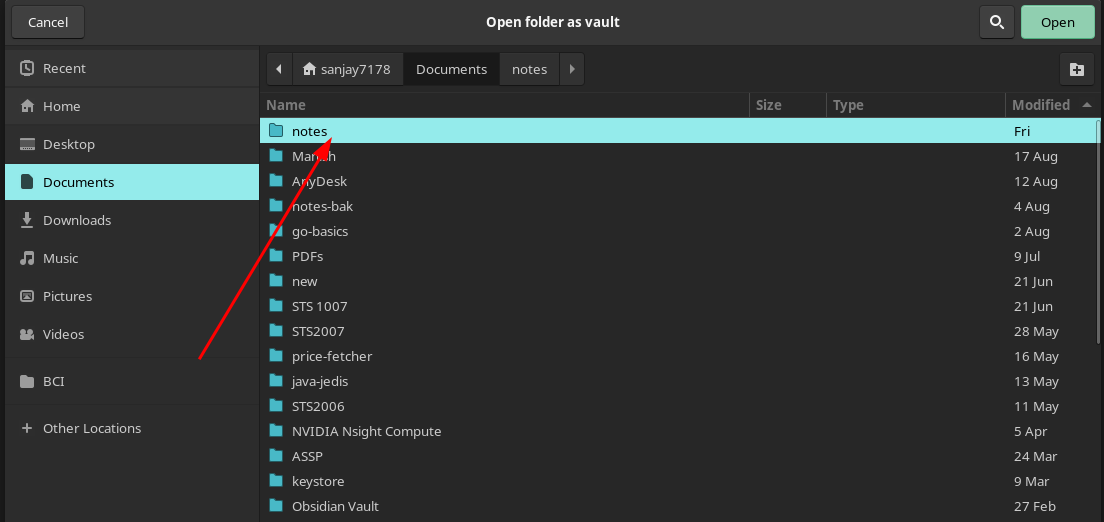 in my case it’s the notes folder upon clicking it choose
 content folder
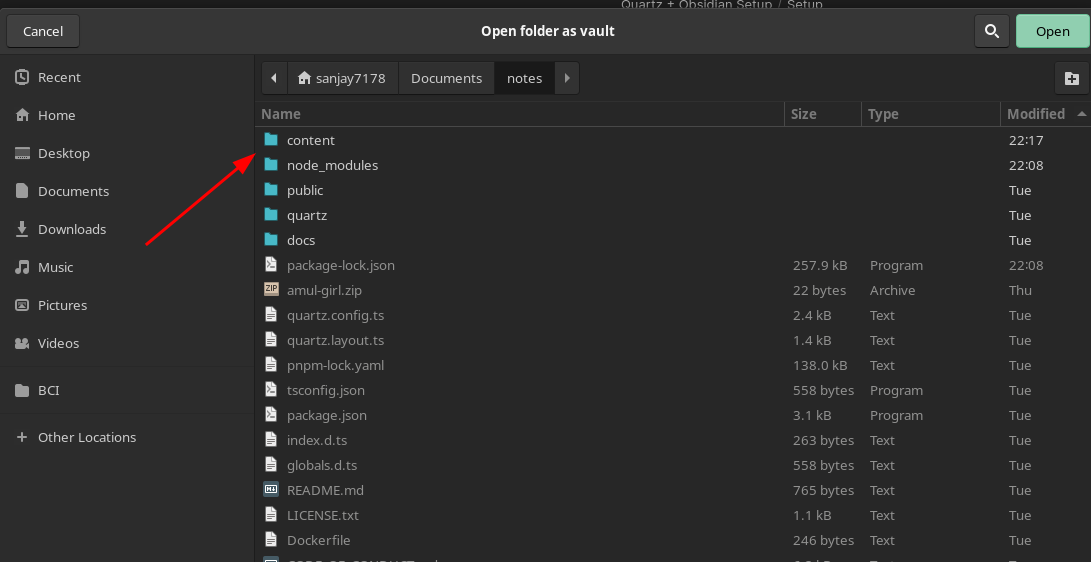 Voilla !! 🎉🎉🥳 you’ve configured
 obsidian with quartz but wait there’s lot more
Obsidian intro to write notes
- Legend the Andrej Karpathy’s view on obsidian : https://x.com/karpathy/status/1761467904737067456?s=61&t=yGoUuKC9LsNGJxSAKv3Ubg
- Obsidian guide : https://obsidian.rocks/getting-started-with-obsidian-a-beginners-guide/
- https://storyletter.substack.com/p/to-build-a-note-is-note-taking-productive
Sync your notes
after setting up the npm i go to your github repository root directory in my case it was notes
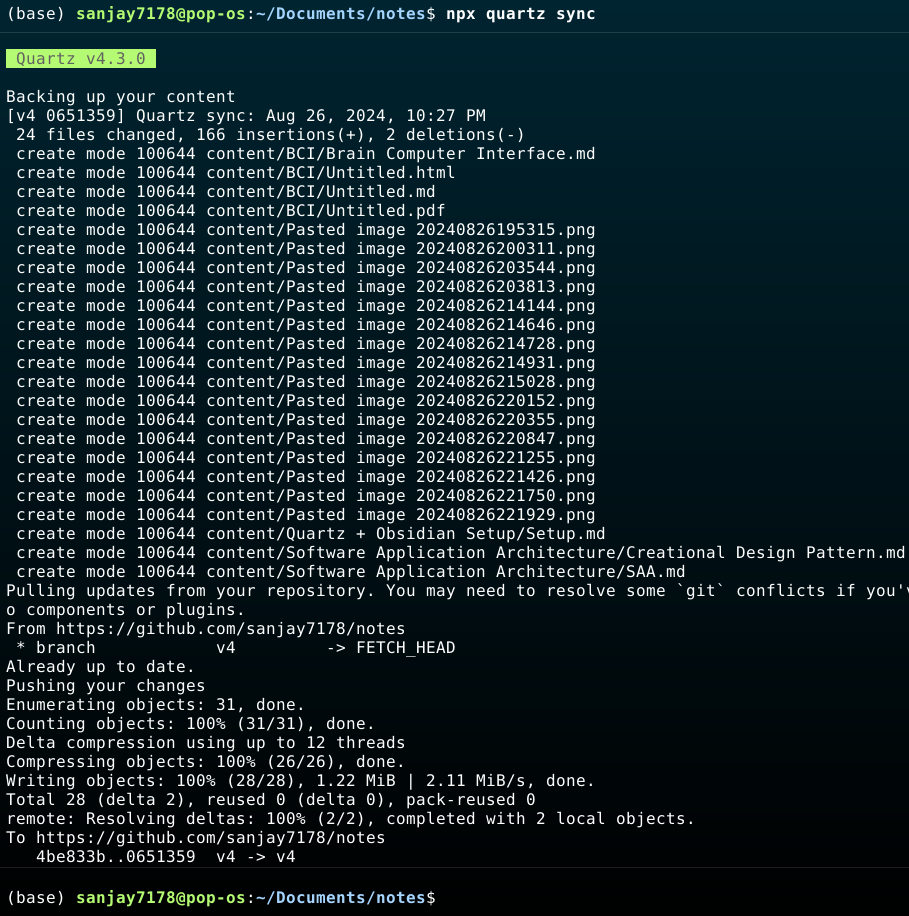 This will ensure the current changes in
 content directory will make push to github
Github Pages Hosting
for pages hosting visit to the configured github repository page
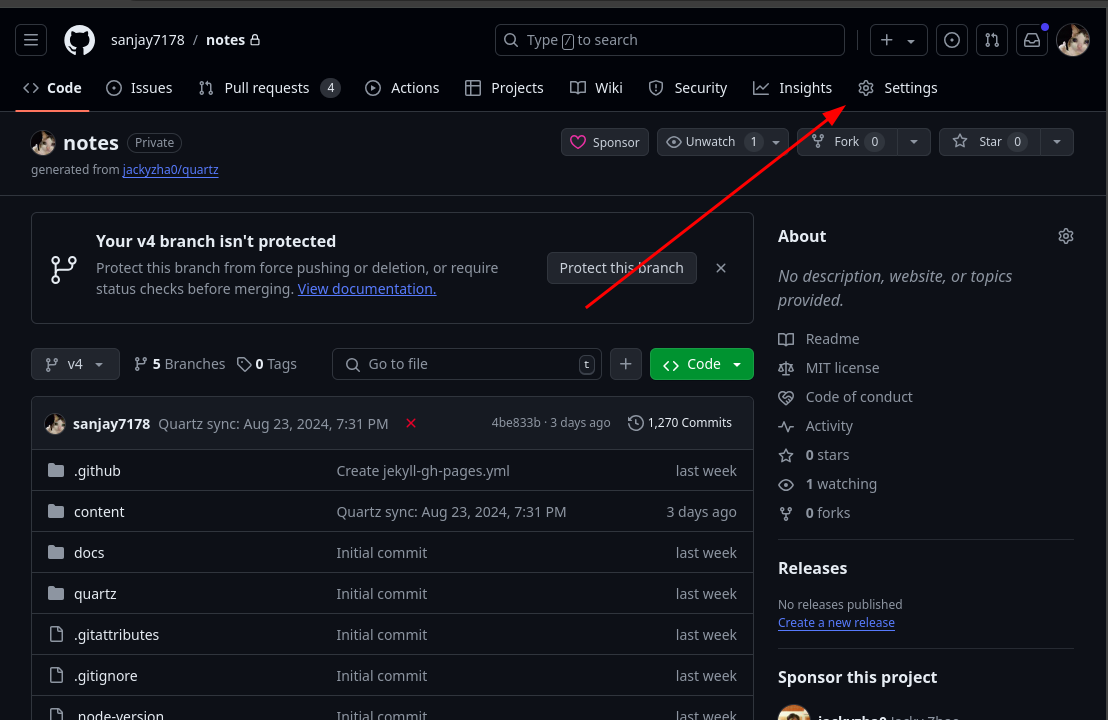 Open the setting tab
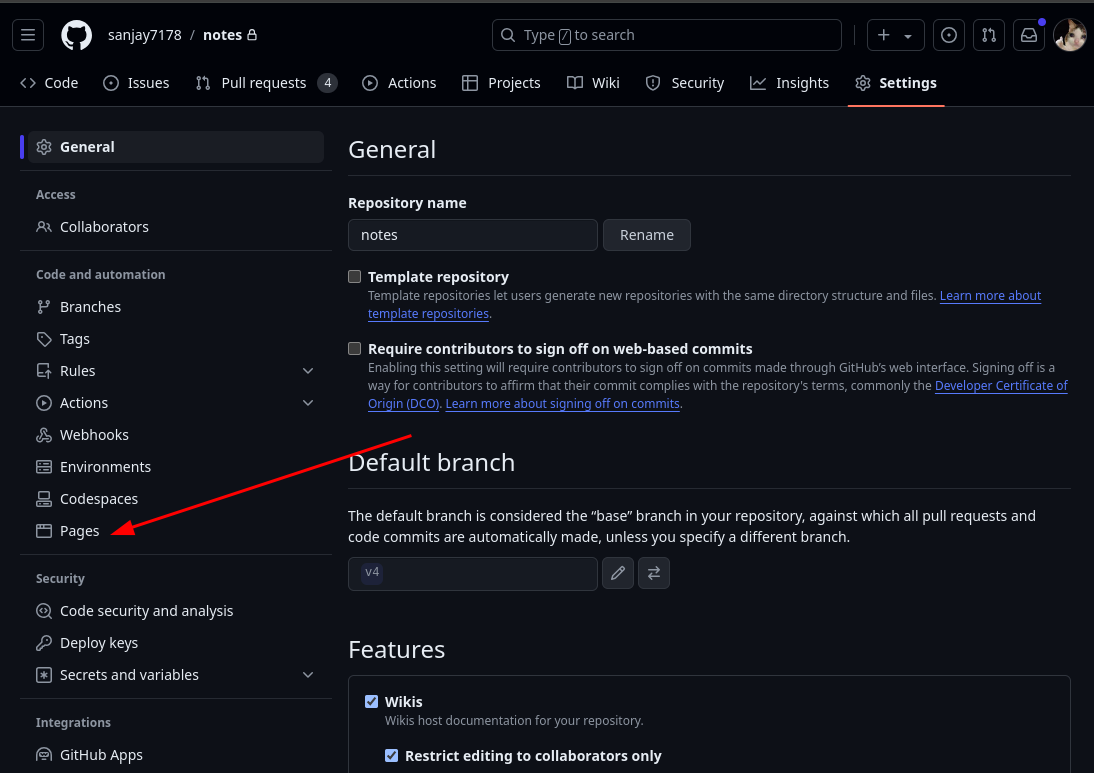 Click on the
 Pages
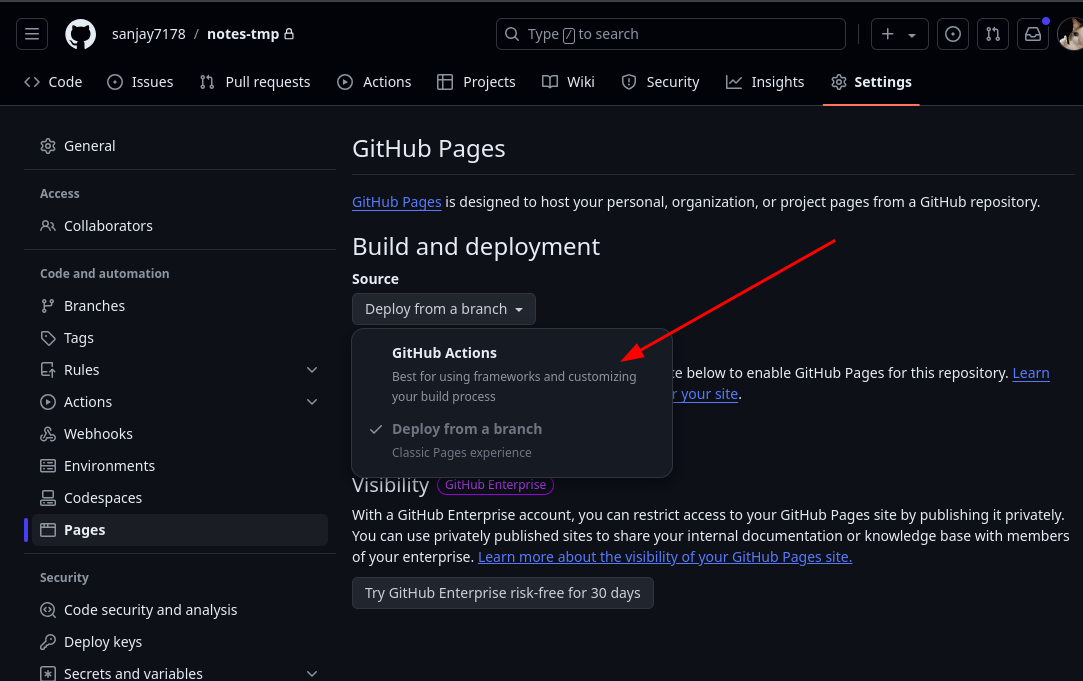
Select the github actions
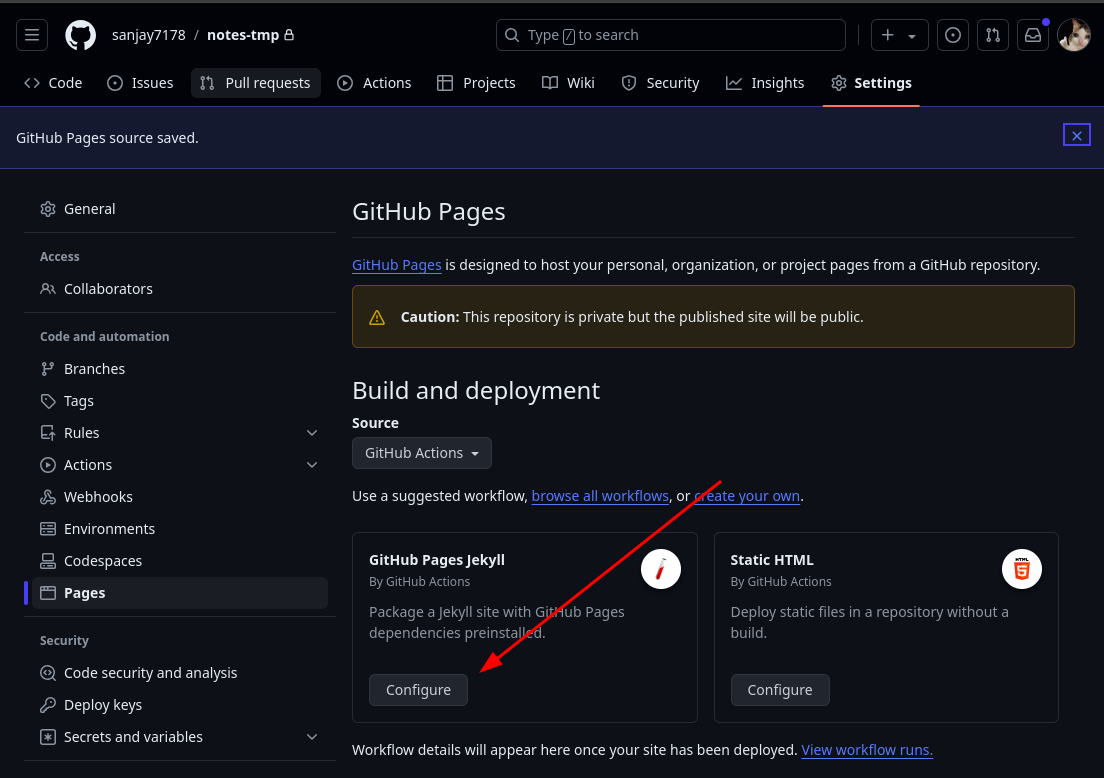 click on the configure
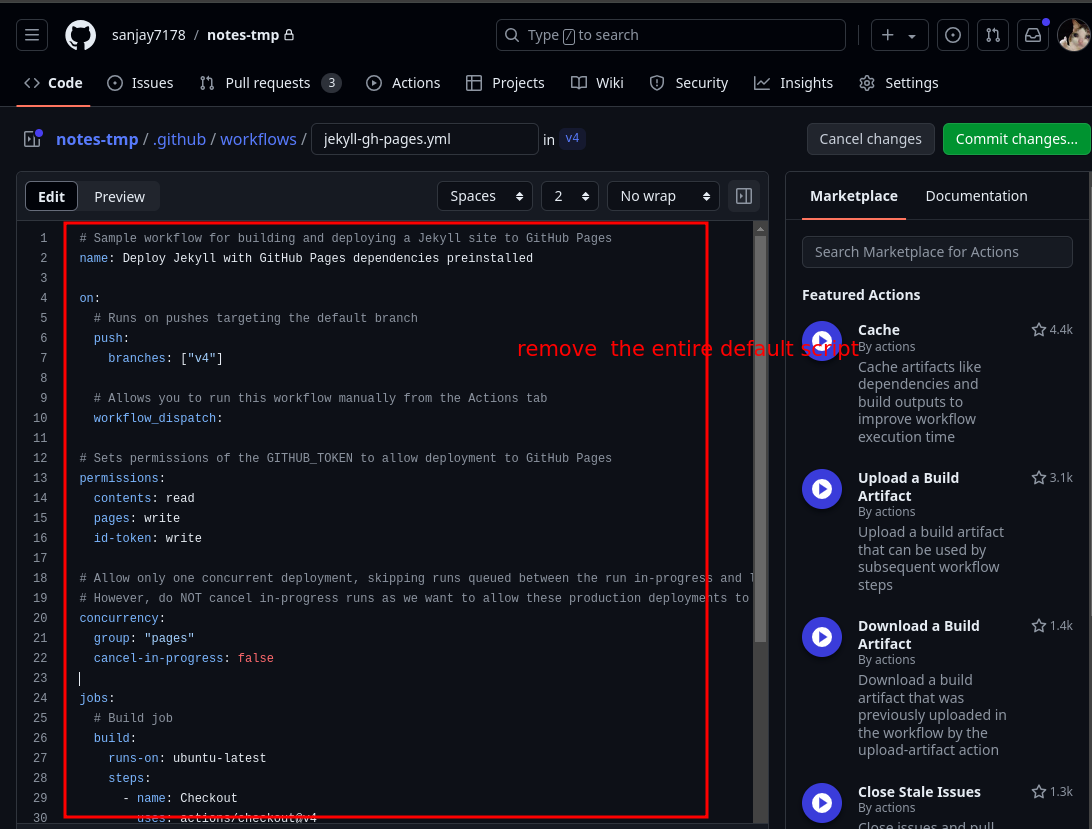
And paste the below script in place of removed script
name: Deploy Quartz site to GitHub Pages

on:
  push:
    branches:
      - v4

permissions:
  contents: read
  pages: write
  id-token: write

concurrency:
  group: "pages"
  cancel-in-progress: false

jobs:
  build:
    runs-on: ubuntu-22.04
    steps:
      - uses: actions/checkout@v4
        with:
          fetch-depth: 0 # Fetch all history for git info
      - uses: actions/setup-node@v4
        with:
          node-version: 22
      - name: Install Dependencies
        run: npm ci
      - name: Build Quartz
        run: npx quartz build
      - name: Upload artifact
        uses: actions/upload-pages-artifact@v3
        with:
          path: public

  deploy:
    needs: build
    environment:
      name: github-pages
      url: ${{ steps.deployment.outputs.page_url }}
    runs-on: ubuntu-latest
    steps:
      - name: Deploy to GitHub Pages
        id: deployment
        uses: actions/deploy-pages@v4
ref :https://quartz.jzhao.xyz/hosting#github-pages
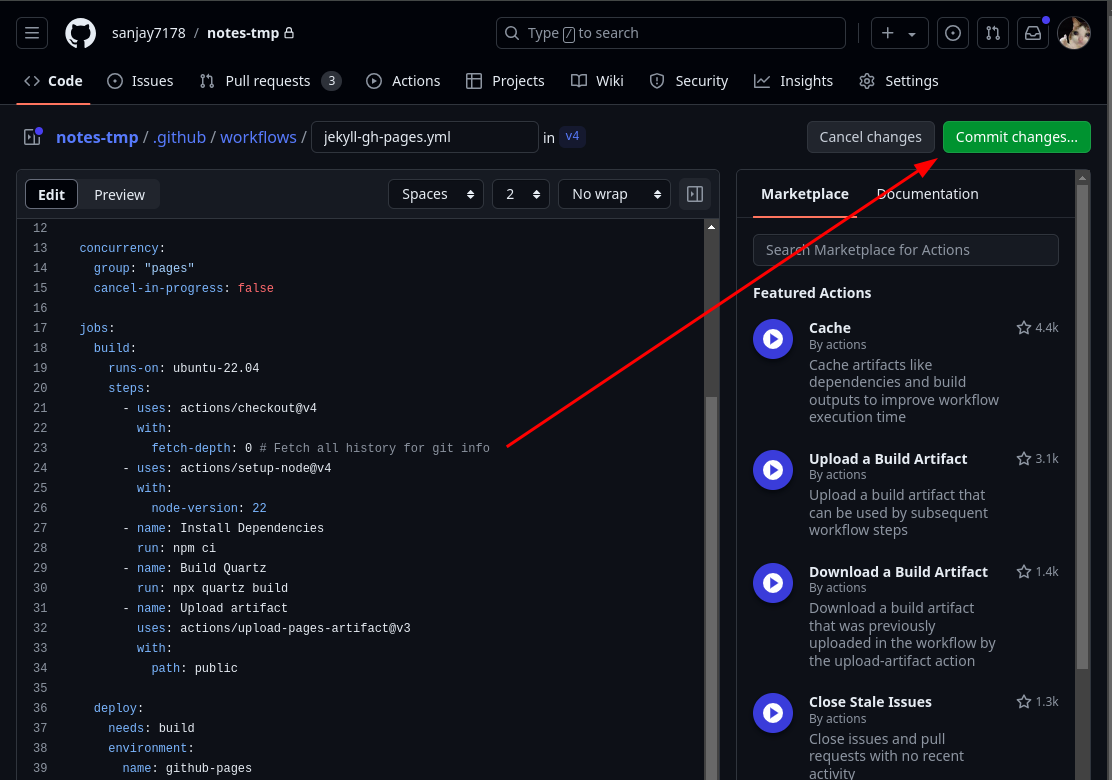 Click on
 commit changes
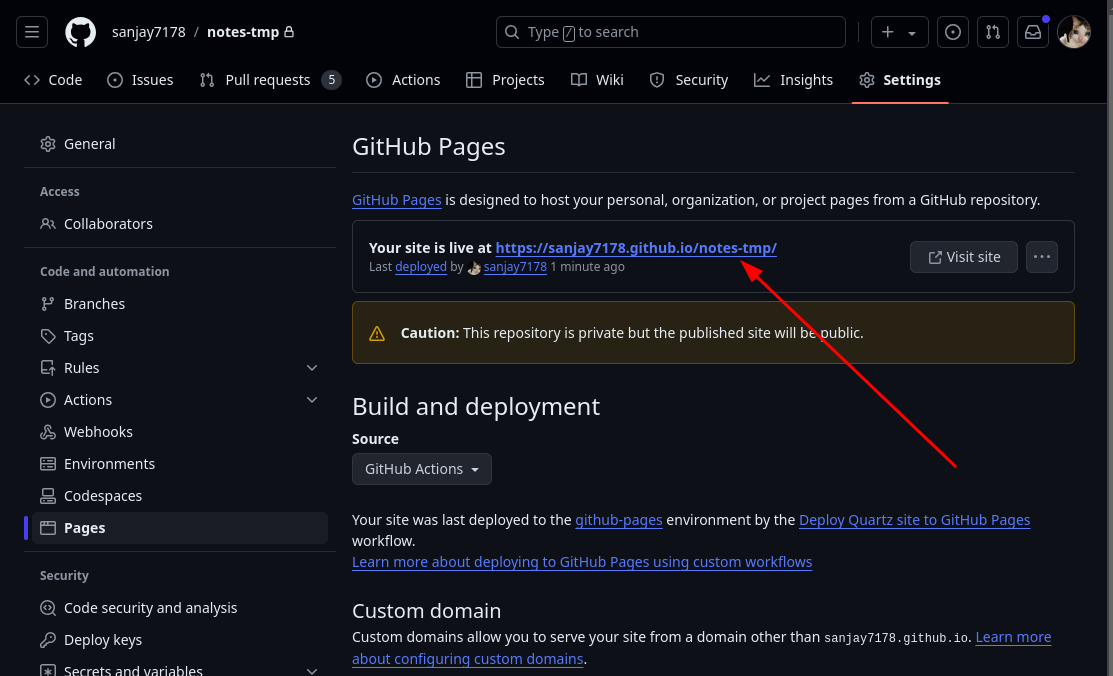 In the same
 pages tab in the settings you’ll get the live hosted link
Make sure you make changes to the content directory so you’ll get the changes visible in the live hosted link
Meme :