Registraion : 21mic7178 Name : Sai Sanjay K
Title: Study of Different Image Transformation Techniques
Objective: The objective of this project is to explore and demonstrate the application of various image transformation techniques, including scaling and rotation, using MATLAB.
Software Tools: The code provided is written in MATLAB, a high-level programming language and numerical computing environment widely used in various scientific and engineering applications, including image processing.
Theory:
-
Scaling (Resizing):
- Scaling, or resizing, is a spatial domain transformation technique used to change the size of an image.
- It involves resampling the image pixels to a new resolution, either increasing or decreasing the dimensions of the image.
- MATLAB provides several interpolation methods for resizing images, such as bilinear, nearest-neighbor, and bicubic.
-
Rotation:
- Rotation is a spatial domain transformation technique used to rotate an image around a specific angle.
- It involves resampling the image pixels to a new orientation, preserving the overall image content.
- MATLAB’s
imrotatefunction can be used to rotate an image by a specified angle.
Coding using MATLAB: The provided MATLAB code demonstrates the following steps:
Scaling (Resizing):
- Load the input image.
- Prompt the user to enter a scaling factor.
- Use the
imresizefunction to resize the image by the specified scaling factor. - Display the original image and the resized image.
%Scaling (Resize)
i = imread('image.jpg');
subplot(2,2,1); subimage(i) ; title('Original Image ');
s= input('Enter scaling factor');
j = imresize(i,s); % importantz
subplot(2,2,2); subimage(j) ; title('Original Image ');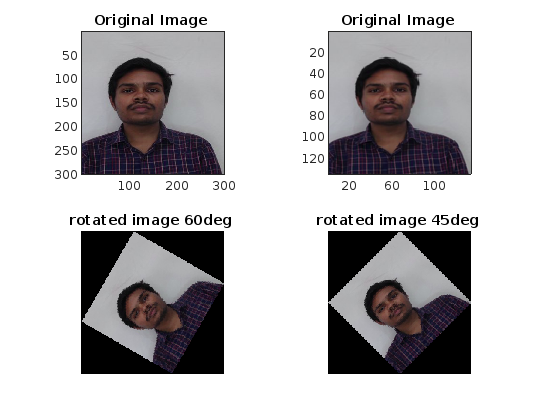 Rotation:
- Load the resized image from the previous section.
- Use the
imrotatefunction to rotate the image by 60 degrees and 45 degrees. - Display the original resized image and the rotated images.
% Rotation

k = imrotate(j , 60);

subplot(2,2,3); imshow(k) ; title('rotated image 60deg ');

r = imrotate(j,45);

subplot(2,2,4); imshow(r) ; title('rotated image 45deg ');
The second part of the code demonstrates the use of different interpolation methods for resizing the image, including bilinear, nearest-neighbor, and bicubic.
% Display the color image
i = imread('../image.jpg');
figure ;
subplot(2,2,1) ;
subimage(i) ;
title('Original Image') ;
% Display Resized Image by Bilinear Method
B = imresize(i,5) ;
subplot(2,2,2);
subimage(B) ;
title('Bilinear Image') ;
%Display Resized image by Nearest Method
C = imresize(i, 5, 'nearest');
subplot(2,2,3);
subimage(C) ;
title('Nearest Image');
%Display Resize image by Bicubic Methhod
D = imresize(i, 5, 'bicubic');
subplot(2,2,4);
subimage(D) ;
title('Bicubic Image');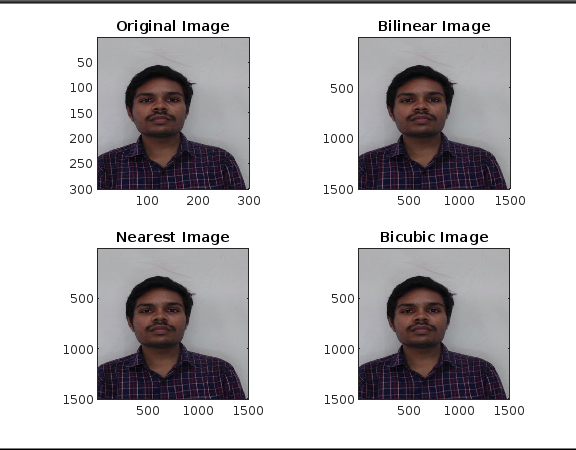 Sample Results:
The provided images show the results of the scaling and rotation operations. The original image is resized and rotated, and the effects of different interpolation methods for resizing are also demonstrated.
Sample Results:
The provided images show the results of the scaling and rotation operations. The original image is resized and rotated, and the effects of different interpolation methods for resizing are also demonstrated.
Conclusion: The MATLAB code presented demonstrates the application of spatial domain transformation techniques, such as scaling (resizing) and rotation, to manipulate and transform images. These techniques are fundamental in image processing and are widely used in various applications, including image enhancement, image analysis, and image-based applications.